Deniability - SimpleX duress PIN mechanism
TL;DR: If forced by an adversary to type the PIN to unlock the application, you can enter a different PIN, which is used to delete everything related to your account and optionally create a new identity.
Why would I want to use a duress PIN for SimpleX?
Setting up a duress PIN allows you to act compliant with the demands of an adversary while irreversibly erasing all of your account data.
Situation:
You are a journalist or activist in an authoritarian country, where you have to fear being surveilled by the government. You have encrypted conversations, with sources, other journalists, and/or international press organizations, which could endanger you or your sources. While being interrogated, you are forced to unlock your phone, and asked to unlock your messaging applications. Entering the duress PIN will protect your sources and delete any data that could endanger you, your well-being and/or your sources.
How do I implement a duress PIN?
Finding the Settings:
First, be sure you have the an up-to-date version of SimpleX installed on your system.
Once the application is launched, go to the profile image, as shown below.
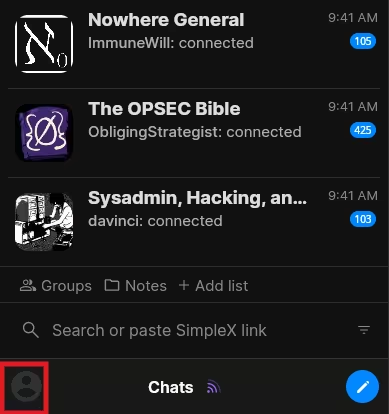
The profile image can be found by clicking on the bottom-left of the application. From there you can enter the settings.
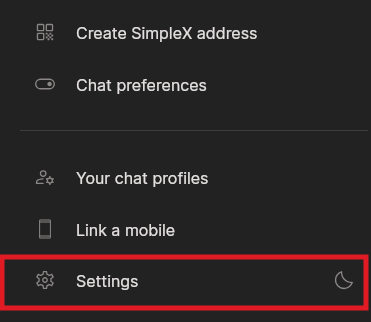
Go to the SimpleX privacy settings.
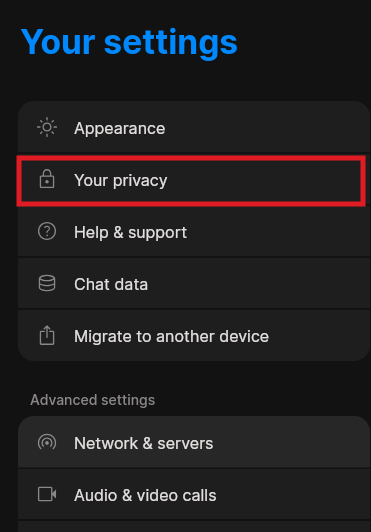
Setting up SimpleX lock and Lock PIN:
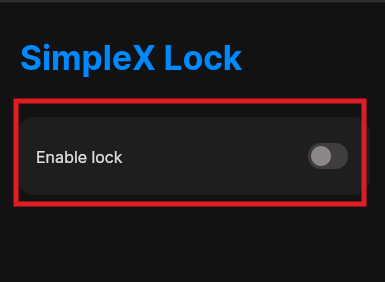
Set up the SimpleX lock. It is mandatory to set it up in order to set up a duress PIN.
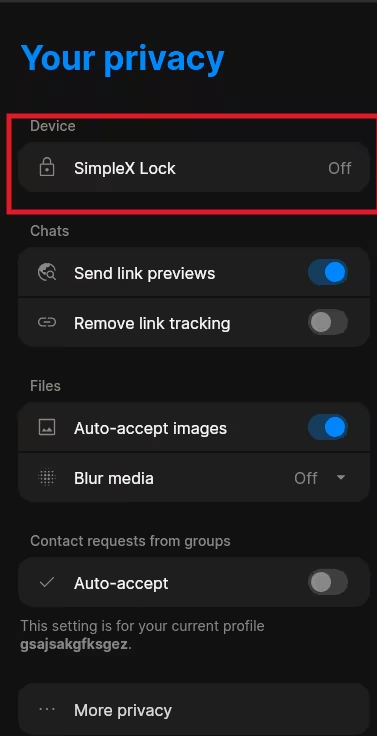
You are then asked to enter a PIN. It is important that you memorize this PIN.
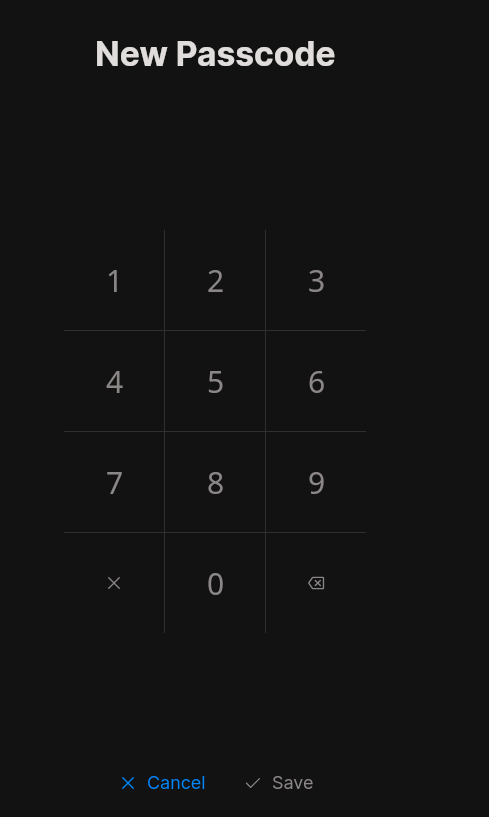
Afterwards, you will be asked to enter the PIN once again.
Setting up the duress PIN:
Once the SimpleX lock is set up, you are able to set up the duress PIN, which is called the “Self-destruct passcode” here.
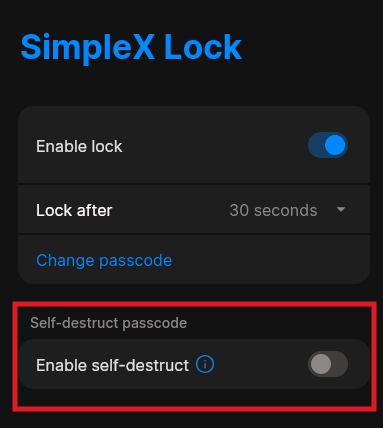
You will first be asked to enter your SimpleX lock PIN before entering the new duress PIN.
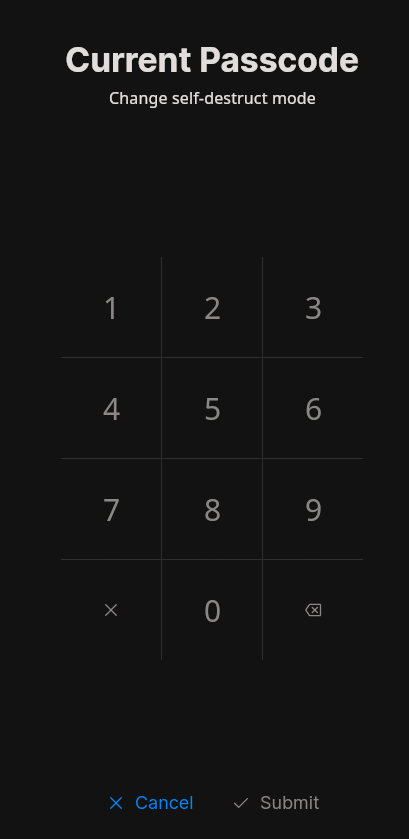
You will now be able to enter a duress PIN.
Remember which PIN you set as the normal SimpleX lock PIN and what you set as the duress PIN.
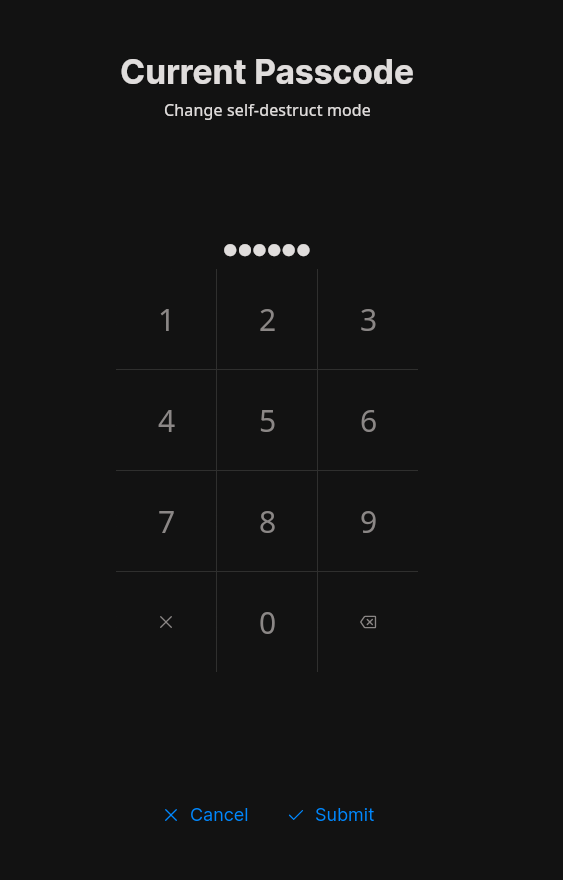
You will then be asked to enter your duress PIN once again.
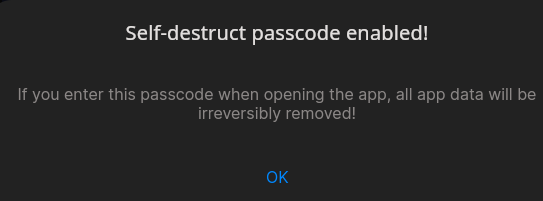
Once the duress PIN has been set up, you will see this dialog window notifying you that the set up was successful.
Options given after set up:
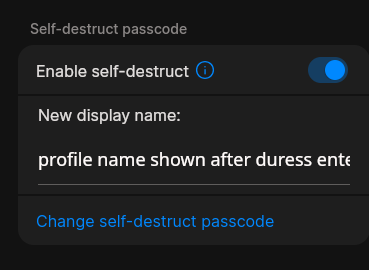
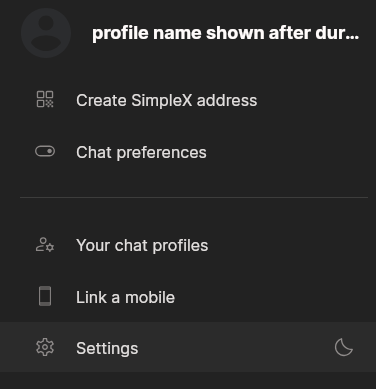
After successfully setting up the duress PIN, you will be given the option to set up a new display name, this display name will be displayed after the duress PIN has been entered.
What can we actually see afterwards?
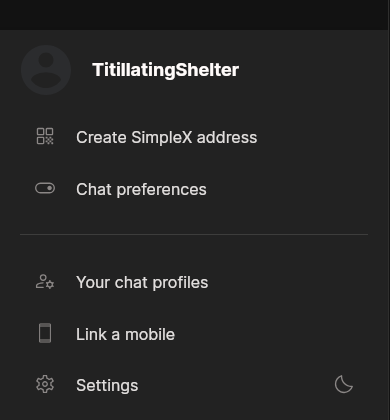
Now lets have a look on what the adversary would actually see when you enter the duress PIN, and what account data is left.
Usually, after entering the duress PIN, it takes a bit longer to load.
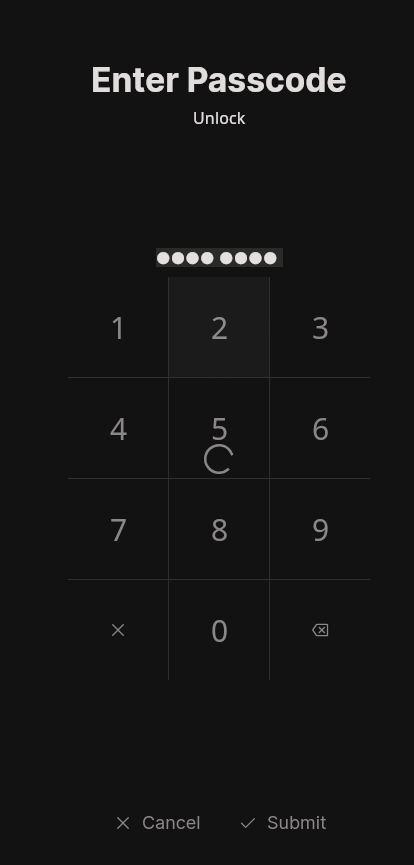
As you can see, nothing is displayed. Every conversation, group chat, contact, and piece of app data is deleted.

Your name has also been changed to the name you were able to enter when given the option. Otherwise, you will be given a random name.
Your previously set duress PIN has now become your default SimpleX lock PIN.
Conclusion
You have now successfully set up the duress PIN for SimpleX.
It will lead to every piece of app data you have on SimpleX be rendered unrecoverable.
 Suggest changes
 Blossom
 2026-10-03
 Donate XMR to Nihilist:
8C1MNeB4KEHGApg6sPxFPn3NWERD3mPv7AjC8mCm1CJCXjoKnf36SYBdZ6ywCMdZRC4cxu7Uax3tufDqMXS2mLvHNCJzQZS